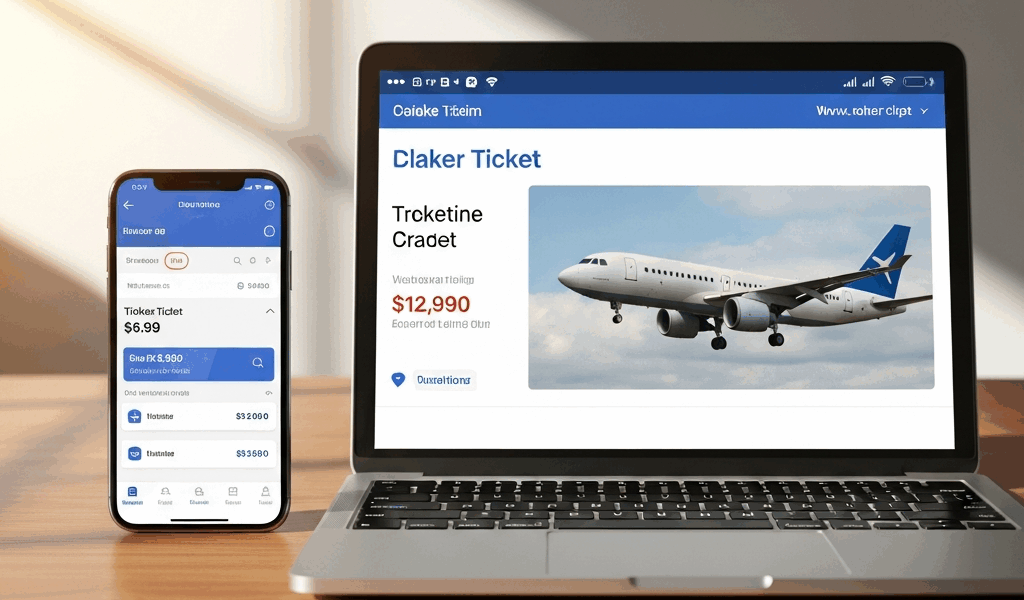
The Quickest Test — Does It Repeat for You
Airline pricing has gotten complicated with all the platform switching and algorithm noise flying around. I know because I’ve watched the screenshots pile up in forums, Reddit threads, and airline complaint boards for years — same flight, different prices, nobody knows why. But before you assume you’re getting robbed, run this test right now. Thirty seconds, tops.
Open your browser and go incognito. Search for the exact flight you saw on the app. Write down the price. Then search in your normal browser — the one where you’re logged in. Write that down too. Finally, open the airline app and search again. Three data points. That’s all you need.
Two prices match, one doesn’t? You’ve found your culprit. Which platform diverged? That’s what we’re fixing today.
Most people skip this entirely and assume dynamic pricing is some impenetrable black box. It isn’t. There are four documented mechanisms airlines use to charge different prices across different platforms. Identify which one is hitting you, and the workaround becomes obvious. So, without further ado, let’s dive in.
Reason 1: Your Frequent Flier Account Is Visible
A Silver-level frequent flier on American Airlines — logged in through the website on a Tuesday afternoon — found a round-trip to Denver priced at $340. Same flight, booked as a guest through the mobile app? $230. That’s a $110 markup for loyalty status. Not a glitch. Not a coincidence.
Airlines have decades of behavioral data on this. If you’ve booked 50 flights in the past three years, the algorithm knows you’ll absorb a $50–$150 premium to protect your status or collect miles. That knowledge feeds directly into what you see on screen.
The mechanics work like this: the moment you log in, the airline loads your frequent flier number, status tier, and booking history. All of it runs through a pricing engine calculating your willingness to pay. An Economy Plus member flying business-class routes regularly? They’re paying more for the exact same seat than someone who flies once a year and has no status to speak of.
The fix is just logging out. Search again. If the price drops, your loyalty status just cost you real money.
I made this mistake twice before it clicked. I’d log into American’s website, see a price, add it to cart, then abandon it when something came up. Come back two hours later — still logged in — and the price had climbed. I blamed the airline every time. Should have blamed my Elite status. Don’t make my mistake.
Search incognito first. Find a fare you like, then open it in the app while logged out before you actually sign in to book. You’ll often catch the lower-tier price before the system tags you as a high-value customer worth squeezing.
Reason 2: App vs. Web Drip-Pricing Differences
Probably should have opened with this section, honestly — it’s the most common reason app prices look higher, and it’s the easiest one to control.
Drip pricing is the practice of revealing costs in stages rather than upfront. A Delta Basic Economy flight lists a headline fare of $89. Sounds fine. Then you tap to proceed and the app requires a carry-on bag upgrade — $35. Seat selection — $15. Checked bag — $40. Your $89 flight is now $179 before you’ve even entered your card number.
The web version, on the same airline, often lets you decline each of those fees individually and land at a final price of $89. The base fare is identical across both platforms. The out-the-door price is not.
This isn’t always intentional, for what it’s worth. Mobile interfaces have less screen real estate — airlines bundle add-ons into mandatory screens because there’s nowhere else to put them. On desktop, those same add-ons sit in sidebars you can scroll past without engaging. The experience diverges. The revenue, from the airline’s perspective, doesn’t.
When you’re booking on the app, expand every single section before you hit the final payment screen. Look specifically for “Baggage,” “Seat Selection,” “Meal Upgrades,” and “Travel Insurance.” Disable everything you didn’t ask for. Screenshot the subtotal. Then open the website, search the same flight, and compare the base fare. If they match, the app was just bundling add-ons more aggressively than you realized.
Reason 3: Different Inventory Buckets in App vs. Web
Airlines don’t sell all seats at the same price — not even close. A Boeing 737 carrying 160 passengers might have 20 seats in the “$89 bucket,” 40 in the “$119 bucket,” 60 in the “$159 bucket,” and 40 in the “$199 bucket.” Which bucket you see depends on when you search and what device you’re holding.
The algorithm distributing inventory across platforms is proprietary, but the effect is measurable. A mobile user and a desktop user searching the identical flight at the identical time sometimes see different available fares. The app shows the $159 bucket as the lowest option available. The website shows $119. Same plane. Same seats. Different allocations.
This shows up most aggressively on last-minute bookings and heavily trafficked routes where inventory is tight. United, American, and Southwest all run dynamic allocation — reserving certain fare buckets for certain channels to optimize total revenue across the board.
Why does this happen? The data shows mobile users book on impulse and comparison-shop less. So airlines reserve lower-priced inventory for web searches, where users are more likely to open three competing tabs, and push higher-priced inventory to the app, where friction is lower and conversion happens faster.
Testing this requires patience. Search the same flight on web and app at the exact same moment. If the lowest available price class differs — not just the number, but the actual booking class, like V versus Y, or B versus K — inventory bucketing is your problem. Book through whichever platform shows the lower bucket, even if the interface annoys you.
Reason 4: Currency Rounding on International Routes
A traveler flying New York to Madrid found €412 on the airline’s European website. The US app showed $449. The real exchange rate that day was 1 USD = 0.92 EUR — meaning €412 should have converted to roughly $447. That extra $2 came purely from rounding.
Rare, but real. When airlines convert prices between currencies, they round at different points in the calculation. Some round the exchange rate first, then multiply the fare. Others multiply first, then round the final figure. A 2–5% difference can emerge depending on which method they’re running. That’s not nothing on a $600 international ticket.
You’ll only see this if you’re searching in different currencies across platforms. Live in the US and always search in dollars? Skip this one entirely. Travel internationally and occasionally check prices in local currency? Worth watching closely.
The fix is mechanical: convert the final price yourself using XE.com or OANDA and compare the real USD equivalent side by side. App price in dollars higher than the website price converted to dollars? You’ve found a currency rounding issue. Book whichever platform gives you the lower equivalent in your home currency — it’s that straightforward.
What to Actually Do (Booking Workflow)
You now know the four mechanisms. Here’s the workflow that catches all of them.
- Open an incognito browser window. Search your flight. Screenshot the price. Close incognito.
- Open the airline app without logging in. Search the same flight. Screenshot the price.
- Log into the app. Search the same flight again. Screenshot the price.
- Take the lowest of your three screenshots — that’s your actual lowest available fare.
- Book through whichever platform showed that lowest price.
One critical rule: do not search the same flight twice in the same logged-in browser within an hour. Time magazine reported in 2023 that some airlines raise prices on repeat searches within a single session, assuming you’re now more committed to the purchase. Search once per platform. Document it. Move on.
This whole workflow takes about five minutes. I started doing it after I accidentally caught a $67 difference on a Southwest flight to Las Vegas — the app showed $156 logged in, the incognito browser showed $127, the logged-out app showed $129. Booked through incognito. Saved more in five minutes than I would’ve made in an hour of actual work. That was worth paying attention to.
One caveat worth mentioning: if your airline status qualifies you for upgrades or bonus miles, that value might justify paying a small premium in certain situations. A Silver frequent flier paying $30 extra but landing a free upgrade to First Class is coming out ahead — clearly. Just make sure you’re consciously deciding to pay that premium rather than stumbling into it because you didn’t realize your status was affecting the price you were shown.
When the App Is Actually Cheaper
Not every airline marks up on the app. Some do the exact opposite — and it matters which carrier you’re booking.
United offers 5–8% app-exclusive discounts on many domestic routes. JetBlue runs periodic app-only flash sales with no warning. Southwest has priced identically across web and app for years — consistently, reliably, almost stubbornly. Alaska Airlines runs app-only companion fare deals that don’t show up anywhere else.
If you fly these carriers regularly, the app might genuinely be your cheapest option. Check their promotions page before you assume the website always wins.
The pattern I’ve noticed — and I’m apparently someone who tracks this more obsessively than most — legacy carriers like American and Delta push higher prices to the app to extract willingness-to-pay from frequent fliers. Low-cost carriers like Southwest and Spirit price consistently or actually undercut the web on the app to build daily habit. Newer carriers like JetBlue use app-only deals as a growth lever, pulling users away from web booking entirely.
So the real workflow is slightly more nuanced than “always use incognito.” If you fly United or JetBlue, start with the app. If you fly American or Delta, start with incognito web. If you fly Southwest, honestly, it doesn’t matter — pick whichever you prefer. Know your airline before you assume any single platform is the default winner.
The larger point: airline pricing isn’t random. It’s algorithmic, and it exploits platform differences in ways most passengers never think to question. Now you know where the differences come from. Your next flight doesn’t have to be the one where you accidentally hand over an extra $100 because you searched on the wrong screen.



Leave a Reply