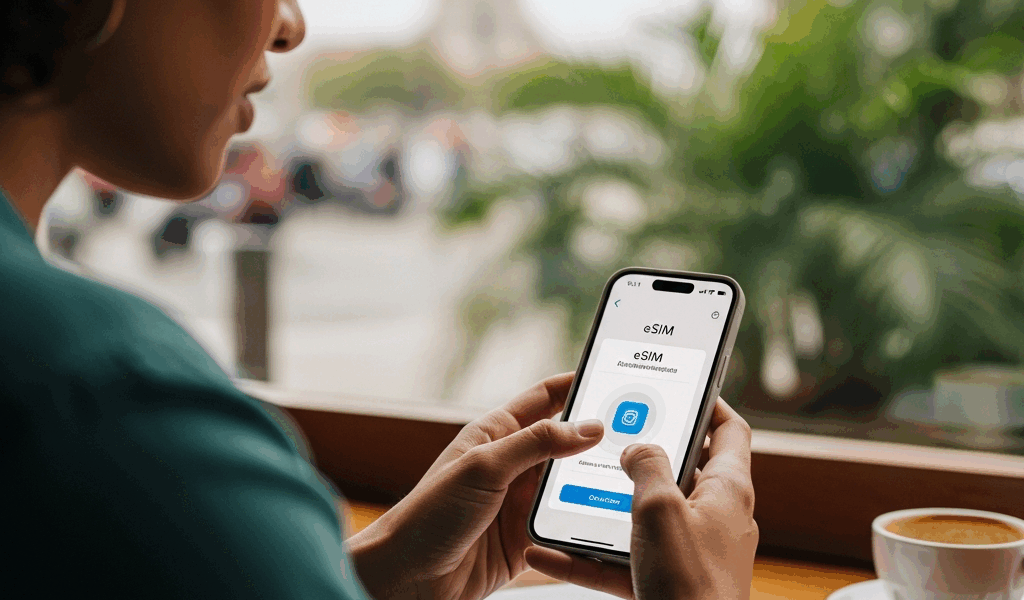
eSIM for International Travel — How to Stay Connected Without Roaming Bills
International travel has become exhausting to keep up with all the connectivity noise flying around. eSIMs, roaming passes, local SIM cards, carrier day passes — everyone’s got an opinion, and half the advice online was written by someone who hasn’t actually dragged a carry-on through a foreign terminal at 6am, desperately hunting for a SIM kiosk. As someone who’s been traveling internationally for about eight years, I learned everything there is to know about staying connected the hard way. Three years of absurd roaming bills. Three years of that awkward airport shuffle. Then I discovered eSIMs — and that particular headache disappeared entirely.
Not in some dramatic, life-changing way. More like the specific relief of realizing you don’t have to do that annoying thing anymore. This guide covers how eSIM technology actually works, which providers are worth your money for real destinations, how to set one up on your iPhone or Android before wheels-up, and what to do when things go sideways. Because sometimes they do.
What Is an eSIM and Why It Matters for Travelers in 2026
But what is an eSIM? In essence, it’s a SIM card that’s soldered directly into your phone’s motherboard instead of sitting in a removable tray. But it’s much more than that. Traditional SIM cards are small physical chips — you slot one in, your phone finds a carrier network, done. The eSIM does the same job, except there’s nothing to slot. No tiny card. No ejector tool. Carrier profiles live on the chip digitally, multiple profiles at once, and you switch between them in your settings like changing a WiFi network.
Here’s what that actually looks like in practice. You’re sitting on your couch the evening before a flight to Lisbon. In about four minutes — I’ve timed this — you can purchase a 10-day European data plan from Airalo, scan a QR code they email you, and have a working Portuguese data connection waiting on your phone. No post office visit. No airport kiosk. No losing the SIM somewhere in seat 32B because you were fumbling with the ejector pin over carpet.
That’s what makes eSIM technology endearing to us frequent travelers. Almost every compatible phone — iPhones from the XS forward, Samsung Galaxy S21 and later, Google Pixel 3 and later — can run your home SIM and a travel eSIM simultaneously. Your regular number stays live. Your bank’s two-factor authentication still works. Your family can still reach you. The travel eSIM just handles data on a local network at local rates. You’re not giving anything up.
The instant activation piece matters more than most people realize before they’ve needed it. Landed in Tokyo at 7am, completely disoriented, no idea which Narita Express platform you need? You need Google Maps immediately — not after a 40-minute hunt for a SIM vending machine. The eSIM is already there. That’s the real value proposition. Not the technology itself, but the elimination of friction at the exact moment you’re most jet-lagged and confused.
eSIM Providers Compared — Airalo vs Holafly vs Carrier Plans
Real talk: this is the important bit. The “how does eSIM work” question is almost always just preamble to the actual question: who do I buy from, and what will it cost me?
Three categories worth comparing: Airalo, which operates as a pay-per-GB marketplace; Holafly, which sells unlimited data plans; and your existing carrier’s international options — day passes, included roaming perks, that sort of thing. Each one wins in different situations.
Europe — 10-Day Trip
| Provider | Plan | Price | Data | Speed Cap |
|---|---|---|---|---|
| Airalo (Europe regional) | 10GB / 30 days | $18.00 | 10GB | Full speed to allowance |
| Holafly (Europe) | Unlimited / 10 days | $34.00 | Unlimited* | Throttled after 2GB/day |
| T-Mobile Magenta | Included roaming | $0 (plan perk) | Unlimited | Throttled to 256Kbps |
| AT&T International Day Pass | $12/day | $120 (10 days) | Full domestic allowance | Full speed |
Airalo’s 10GB plan at $18 wins for most European trips — full stop. Ten gigabytes covers a typical tourist itinerary — maps running constantly, some Instagram, a few FaceTime calls home — for a solid 10 to 14 days. Holafly’s unlimited option sounds appealing until you hit that 2GB daily throttle, which happens faster than expected if you’re streaming anything at all. T-Mobile’s included roaming is fine for checking emails in a hotel lobby, but 256Kbps is genuinely unusable the moment a map needs to reload tiles. AT&T’s day pass gives you full domestic speeds, sure — at $120 for 10 days, you’re paying a premium for a convenience you just don’t need.
Japan — 7-Day Trip
| Provider | Plan | Price | Data | Notes |
|---|---|---|---|---|
| Airalo (Japan) | 10GB / 30 days | $15.00 | 10GB | Runs on Docomo network |
| Holafly (Japan) | Unlimited / 7 days | $28.00 | Unlimited* | Throttled after daily limit |
| IIJmio eSIM (local) | 15GB data-only | ~$15.00 | 15GB | Requires Japanese payment method |
Japan is where Airalo really earns its reputation. The Docomo network coverage is excellent — rural areas around Hakone, the entire Shinkansen corridor, even small stations where I half-expected nothing. Used the 10GB plan on a 9-day trip recently and came back with 2.3GB untouched. That included heavy Google Maps usage, daily photo uploads to iCloud, and more FaceTime than I’d planned. IIJmio offers better raw value on paper — 15GB for roughly the same price — but the Japanese payment method requirement eliminates it for most international visitors before they even get started.
Southeast Asia — 14-Day Multi-Country Trip
| Provider | Plan | Price | Countries | Data |
|---|---|---|---|---|
| Airalo (Asia regional) | 10GB / 30 days | $22.00 | 18 countries | 10GB shared |
| Holafly (SE Asia) | Unlimited / 14 days | $49.00 | Varies by country | Unlimited* |
| Saily (from Nord) | 10GB / 30 days | $19.00 | Asia-Pacific | 10GB shared |
Multi-country Southeast Asia trips — Thailand to Vietnam to Bali, say — are where regional plans genuinely shine. Buying individual country SIMs at each border crossing used to eat 45 minutes and about $12 per stop. The Airalo Asia regional plan just covers you, no switching required. Coverage quality does vary — expect strong connectivity in Bangkok and Hanoi, noticeably patchier performance in rural northern Laos. That’s not an Airalo problem specifically; it’s a local infrastructure reality.
One honest note: Holafly’s “unlimited” label is marketing. Read the fair-use policy for your specific destination before buying. The throttle thresholds are real, and they matter more than the headline claim.
How to Set Up an eSIM Before Your Trip — iPhone and Android
On iPhone (iOS 17 and Later)
- Purchase your eSIM plan from Airalo, Holafly, or whichever provider you’ve chosen. A QR code arrives via email — don’t delete that email.
- Go to Settings → Cellular → Add eSIM.
- Tap Use QR Code, then scan the code from your confirmation email.
- When iOS prompts you to label the plan, name it something obvious — “Europe Data” or “Japan Trip.” You’ll thank yourself at 6am in an unfamiliar airport.
- Under Default Line, keep your home SIM selected for calls and SMS.
- Set the travel eSIM as your default for Cellular Data.
- For Allow Cellular Data Switching — leave it off unless you specifically want iOS falling back to your home SIM when the travel eSIM loses signal. Most travelers don’t. Surprise charges are annoying.
First, you should install the eSIM profile at home before you leave — at least if you want the plan clock to work in your favor. Most providers start your countdown when the eSIM first connects to a local network, not when you install the profile. Install it at home. Don’t let it connect until you land. That way you’re not burning day one while still sitting in your departure airport.
On Android (Samsung Galaxy S24 / Google Pixel 8 as Reference)
- Purchase your plan and pull up the QR code.
- On Samsung: Settings → Connections → SIM Manager → Add eSIM. On Pixel: Settings → Network & Internet → SIMs → Add eSIM.
- Select Scan QR Code and scan your provider’s code.
- Back in SIM Manager, assign your home SIM to calls and the travel eSIM to data.
- Disable data roaming on your physical SIM. This step matters.
Don’t make my mistake. I forgot to disable roaming on my physical T-Mobile SIM while using an Airalo eSIM in Vietnam — and even though all my data was running through Airalo, T-Mobile’s SIM was still quietly pinging towers in the background. Came home to a $3.00 charge for an international SMS I never sent. Small amount, yes. Annoying in principle. Turn roaming off on the home SIM before you board.
Data Management on the Road
Check consumption regularly. On iPhone: Settings → Cellular → scroll to your travel eSIM line → current usage. On Android: Settings → Network → Data Usage, filtered by SIM. Set a warning at 75% of your allowance — most phones support this natively. Background app refresh, iCloud Photo Library syncing, and streaming music over cellular are apparently the three fastest ways to demolish a 10GB plan. Kill all three the moment you land.
Common eSIM Problems and How to Fix Them
eSIM Not Activating After Landing
This happens — even with everything set up correctly at home. Phone lands, you switch on the travel eSIM, nothing connects. First move: airplane mode cycle. Toggle airplane mode on for 30 seconds, then off. Sounds too simple. Works roughly 60% of the time. Second check: confirm the correct eSIM is actually set as your cellular data source — go into settings and verify manually. Still nothing? Check the APN settings.
Wrong APN Settings — The Invisible Problem
APN stands for Access Point Name — it’s the configuration string your phone uses to connect to a carrier’s data network. Some eSIM providers set this automatically. Some don’t. If your eSIM shows full signal bars but absolutely nothing loads, the APN is almost certainly the culprit.
Airalo might be the best option for finding this quickly, as the app lists APN settings per plan right in the plan details screen. That’s because not every carrier pushes these settings automatically — having them in-app removes a frustrating search. On iPhone: Settings → Cellular → Cellular Data Network → APN field. On Android: Settings → Connections → Mobile Networks → Access Point Names → Add new APN. Enter the provider’s string exactly, save, reboot.
Data Not Working Despite “Connected” Status
Phone shows the carrier name. Signal bars look fine. Nothing loads. Force a manual network selection — on iPhone, go to Settings → Cellular → Network Selection → turn off Automatic → wait for the network list to populate → select the local carrier your plan uses. Airalo’s app tells you which local partner carrier your plan routes through in each country. Select that one specifically, then toggle Automatic back on. This resets the network handshake and usually resolves it within about 30 seconds.
Running Out of Data Mid-Trip
Top-up before you’re desperate — not after. Airalo lets you purchase an additional plan and stack it on top of your existing one. Holafly allows extensions through their app while your current plan is still active. The catch-22 to avoid: if you wait until you hit zero data, you’ll need WiFi to complete the top-up purchase — which is often a hotel login page that requires a confirmation code sent to your phone. Top up at 20% remaining. Not zero.
eSIM Profile Disappeared After Phone Update or Reset
Factory reset your phone and the eSIM profiles are gone. They live on the device itself — not backed up to iCloud or Google, not retrievable from thin air. Some providers, Airalo included, allow one reinstall per plan. Check that policy before resetting anything. Mid-trip? Contact support immediately. Most providers can reissue a QR code for a plan that hasn’t hit its usage or time limit yet.
One last thing — not every phone sold everywhere supports eSIM. iPhones sold in mainland China shipped without eSIM capability through 2023. Some budget Android devices still lack it entirely. Check your specific model on the manufacturer’s website before purchasing any plan. The Airalo app has a device compatibility checker built in — run it before you buy anything.
This new idea took off several years ago and has eventually evolved into the seamless travel tool frequent fliers know and rely on today. Getting set up takes under 10 minutes once you’ve done it once. The first time — reading carefully through every settings screen — maybe 20. Either way, it’s considerably less time than hunting for a SIM vendor in a foreign airport, negotiating a plan in a language you don’t speak, and then discovering you bought the wrong data tier. Set it up before you leave. Your future jet-lagged self will appreciate it.




Leave a Reply